

Driving School Simulator
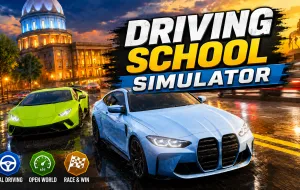
Driving School Simulator is a realistic driving simulation game that combines open-world exploration with structured driving lessons and traffic rule practice. Rather than focusing purely on speed and racing, the game encourages players to develop real driving habits by following road regulations, completing driving exams, and navigating busy city environments. With a large selection of vehicles and multiple gameplay modes, it offers an experience that feels both educational and entertaining.
DRIVING SCHOOL SIMULATOR - TAKE THE WHEEL AND DRIVE LIKE A REAL MOTORIST
Driving School Simulator challenges players to think beyond simply reaching a destination. Every journey requires attention to traffic lights, stop signs, pedestrians, and road markings. Whether you're completing a driving test or exploring the city freely, safe and responsible driving plays a major role in your success.
The game features realistic road systems that reward careful decision-making. Learning when to stop, signal, and yield becomes just as important as controlling your vehicle.
Explore Roads, Cities, and Highways
The world of Driving School Simulator offers a variety of environments designed to test different driving skills.
- Navigate busy city streets and intersections
- Drive along open highways and long-distance routes
- Practice in realistic urban environments
- Switch between structured lessons and free driving
- Improve road awareness through varied traffic situations
Extensive Vehicle Collection
Players can choose from a wide range of vehicles, each offering unique handling characteristics.
- Sedans
- Hatchbacks
- SUVs
- Sports cars
- Supercars
- Hypercars
- Off-road vehicles
Trying different vehicles allows players to experience various driving styles and challenges.
Customize and Tune Your Vehicles
Driving School Simulator goes beyond basic vehicle selection by offering customization options.
- Adjust suspension height
- Modify camber angles
- Customize ambient interior lighting
- Personalize vehicle appearance
- Fine-tune driving performance
These features allow players to create vehicles that match their preferred driving style.
Controls Guide
- W – Accelerate
- S – Brake / Reverse
- A / D – Steer Left / Right
- Q / E – Use Turn Signals
- H – Fasten Seatbelt
- L – Toggle Headlights
- C – Change Camera View
- Spacebar – Handbrake
MORE OFF-ROAD CHALLENGES