


BlockCraft
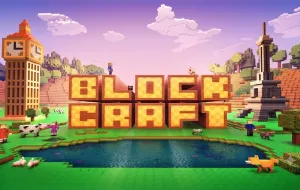
BlockCraft is an open-world sandbox game where creativity and survival go hand in hand. Set in a procedurally generated block-based world, the game allows players to mine resources, craft equipment, build impressive structures, and embark on endless adventures. With multiple gameplay modes and virtually unlimited freedom, BlockCraft appeals to builders, explorers, and survival enthusiasts alike.
INTRODUCE TO BLOCKCRAFT
Every new world in BlockCraft is generated procedurally, ensuring that no two adventures are exactly the same. Players begin by gathering essential resources such as wood, stone, and ores before crafting tools, constructing shelters, and exploring increasingly dangerous environments.
The game supports several play styles. Survival Mode challenges players to manage health, hunger, and hostile creatures while progressing through stronger equipment. Creative Mode removes resource limitations, allowing players to focus entirely on building. For those seeking additional challenges, Adventure Mode, Hardcore Mode, and Spectator Mode each offer unique ways to experience the game.
Explore Endless Worlds and Build Without Limits
BlockCraft encourages players to shape the world however they imagine.
- Explore procedurally generated landscapes filled with forests, caves, villages, temples, and hidden structures.
- Gather resources to craft tools, weapons, armor, and building materials.
- Construct anything from small houses to massive castles and entire cities.
- Discover dangerous dimensions, including the Nether and the End in supported versions.
- Every newly generated world offers fresh terrain, resources, and exploration opportunities.
Deep Crafting and Survival Mechanics
Crafting is the foundation of progression throughout the game.
- Collect materials including wood, stone, iron, diamond, and other valuable resources.
- Create increasingly powerful equipment as you unlock better crafting recipes.
- Build secure shelters before nightfall to protect yourself from hostile monsters.
- Manage your hunger, inventory, and equipment while exploring dangerous areas.
- Experiment with advanced systems such as Redstone mechanisms, automated farms, and complex building projects.
HOW TO CONTROL
Movement
- W, A, S, D — Move
- Spacebar — Jump
- Shift — Sneak (Crouch)
Building & Interaction
- Left Mouse Button — Break blocks or attack
- Right Mouse Button — Place blocks, use items, or interact
- E — Open inventory
- 1–9 — Select items from the hotbar
- Q — Drop the selected item
Additional Shortcuts
- F5 — Switch between first-person and third-person views
- F3 — Display debug information
- F1 — Toggle the HUD
- T — Open chat or enter commands
- Esc — Pause the game
DIVE INTO MORE SANDBOX ADVENTURES