



Geometry Vibes 2 Online
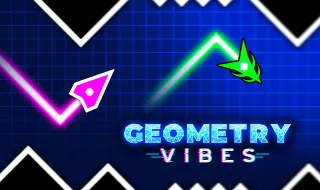
Geometry Vibes 2 Online is a fast-paced arcade game building on the original Geometry Vibes, this sequel introduces more levels, expanded customization, and competitive online multiplayer. Players control a flying arrow through neon geometric courses filled with spikes, walls, and narrow passages. Simple controls make the game easy to learn, but mastering every obstacle requires precise timing and quick reactions.
GEOMETRY VIBES 2 ONLINE - DODGE OBSTACLES AND RACE TO VICTORY
In Geometry Vibes 2 Online, your arrow automatically travels forward through geometric corridors filled with spikes, walls, and narrow gaps. Hold the control button to climb and release it to descend, adjusting your movement to stay on the safe path. Every collision ends your run, so you must anticipate upcoming obstacles rather than react at the last second. As the courses become more demanding, even a small movement can determine whether you reach the finish or crash. Coins collected during gameplay provide another goal beyond survival, allowing you to unlock cosmetic designs and personalize your arrow. Whether you are progressing through structured stages or challenging another player, success depends on consistent timing and controlled movements.
Explore the Different Game Modes
- Classic Mode: Complete 20 levels with progressively harder obstacle layouts.
- Infinity Mode: Keep flying through an endless course and try to beat your distance record.
- Online Multiplayer: Race against a random opponent or create a private room to challenge a friend.
- Local Race Mode: Compete with two, three, or four players using the same keyboard.
Customize Your Arrow
- Unlock 24 arrow skins with coins earned through gameplay.
- Choose from 16 different trails to change the visual effect behind your arrow.
- Experiment with color options to create your preferred look.
- Combine cosmetic choices to give your arrow a distinctive appearance.
Game Controls
- Left Mouse Button: Hold to fly upward; release to descend.
- Spacebar: Control Player 1 with the same hold-and-release movement.
- Up Arrow: Control Player 2 in local multiplayer.
- H: Control Player 3 in local multiplayer.
- L: Control Player 4 in local multiplayer.
- Touchscreen: Press and hold to climb, then release to descend on supported mobile devices.
Tips for Beating Difficult Levels
- Use short taps: Small, controlled movements help you pass through narrow gaps.
- Look ahead: Focus on upcoming obstacles rather than only watching your arrow.
- Learn obstacle patterns: Replaying difficult sections helps you improve timing and consistency.
- Stay calm during races: Rushing your movements can cause avoidable crashes.
- Practice in Classic Mode: Build your skills before attempting longer Infinity runs or competitive matches.
MORE ARROW-STYLE GEOMETRY GAMES TO TRY