


Drift Rally
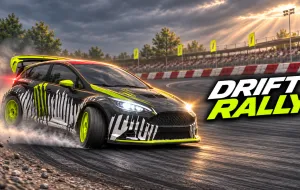
Drift Rally is a 3D rally racing game that puts your drifting skills to the test. Take control of powerful rally cars and race across gravel, asphalt, and muddy roads, where every surface demands a different driving approach. With two game modes, multiple vehicle upgrades, and changing track conditions, the game offers plenty of challenges for anyone who enjoys precision driving.
DRIFT RALLY - MASTER EVERY CORNER ON FIVE CHALLENGING TRACKS
The main objective in Drift Rally is to reach checkpoints before the countdown expires. Each checkpoint adds extra time, but the bonus gradually decreases, making it harder to maintain a long run. You must balance speed and control, using smooth steering and controlled slides to handle corners without crashing. Long drifts also build your drift score, while collisions can cost valuable time.
Survival and Challenge Modes
- Survival: Drive as far as possible across the five available tracks, passing checkpoints to extend your run. You can also race alongside a ghost of your previous attempt.
- Challenge: Complete 60 stages divided into two sets of 30. Each stage features one to four laps, time limits, and drift targets that you must reach to progress.
Five Tracks with Different Conditions
Explore Hydro Power Station, Construction Site, Harbour, Rally Cross, and Coliseum. Their road surfaces include gravel, asphalt, and mud, each affecting vehicle handling differently. Weather and lighting conditions also vary, bringing additional changes to the racing environment.
Unlock and Customize Ten Rally Cars
Earn cash through distance, drift points, average speed, and crash-free driving. Spend your rewards on ten available rally cars and improve them through four upgrade categories: turbo, brakes, exhaust, and suspension. You can also adjust gearbox settings, suspension stiffness, anti-roll bar, and ride height to fine-tune your vehicle.
Game Controls
- A/D or Left/Right Arrow Keys: Steer.
- S or Down Arrow: Brake or reverse when held.
- Spacebar: Activate the handbrake.
- W or Up Arrow: Accelerate when Manual Throttle is enabled.
- C: Change camera view.
- Esc or P: Pause the game.
- Mouse: Navigate menus and use the on-screen brake buttons.
TRY MORE RACING GAMES